¶ Guide to replacing the camera on the M1 Pro S1
¶ Required Tools and Accessories
| Tools: 1. H2.0 |
| Accessories: Camera Assembly |
***Warm Reminder***
Operating Precautions
1. Power off operation, the power supply must be completely
disconnected before plugging or unplugging terminals. Power-on
operation may cause chain damage to the lower machine
motherboard.
2. When operating, fingers must pinch the terminal buckle position
and pull outward; do not use excessive force. Violent operation may
lead to:
- Damage to terminal leads
- Socket falling off/damage
- Poor contact causing faults
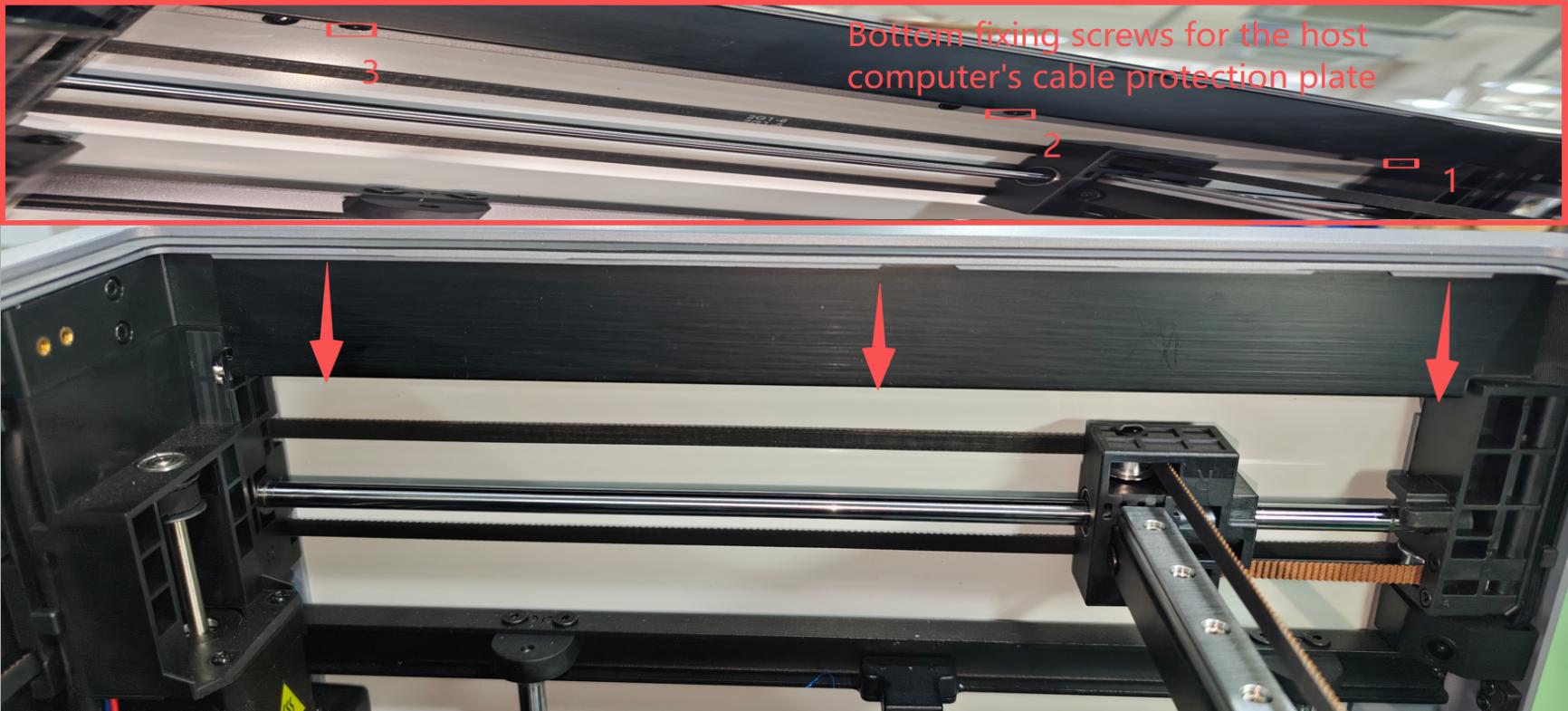
- Remove the top frame protective cover Use an H2.0 hex wrench to remove the 3 M3*4 semicircular head screws at the bottom of the upper computer protective cover, and take out the protective cover. As shown:
 |
¶ Remove the sealing plate screws
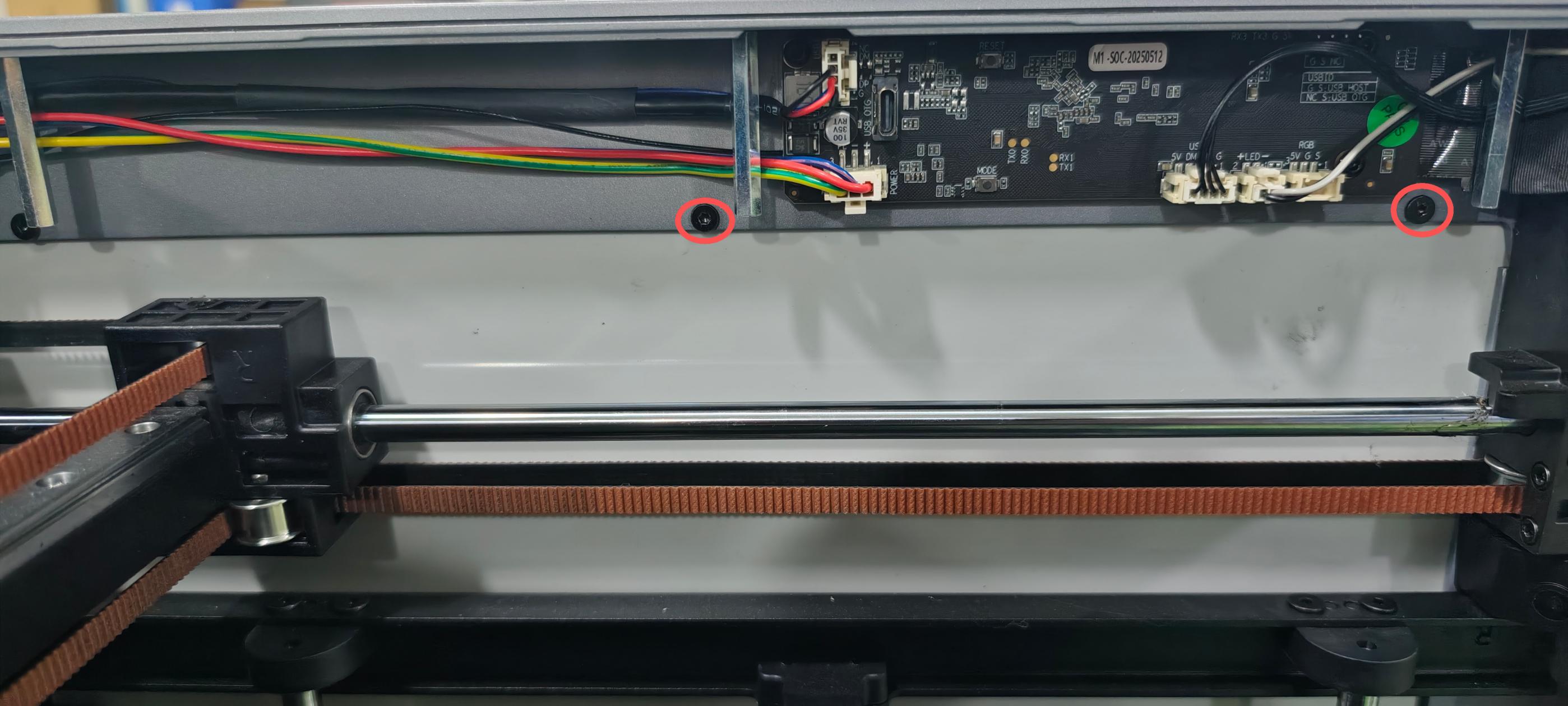
1. Remove the top frame sealing plate screws
Use an H2.0 hex wrench to remove the 2 M3*5 flat circular head sealing plate screws. As shown:
 |
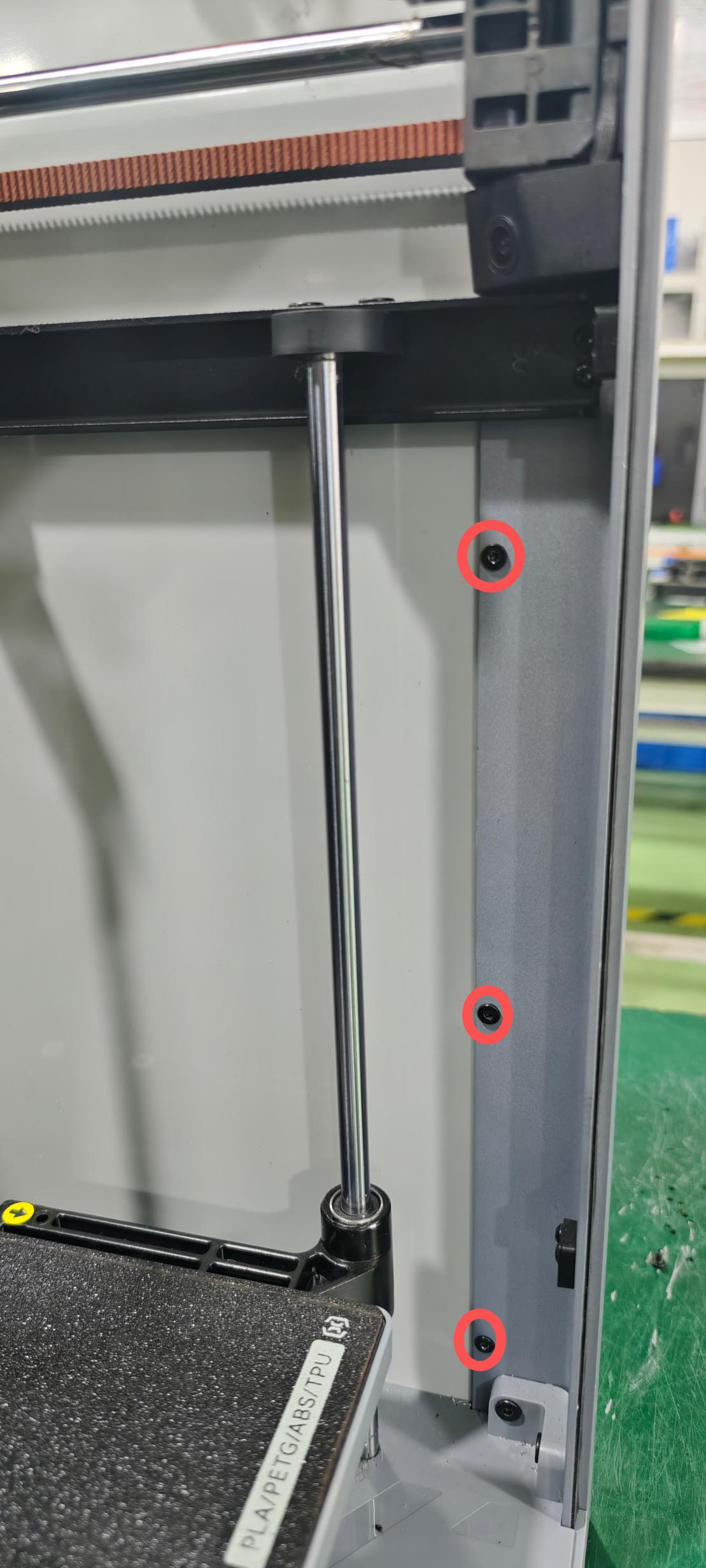
2.Remove the right front door profile sealing platescrews
Use an H2.0 hex wrench to remove the 3 M3*5 flat circular head sealing plate screws from the right front door profile. As shown:
 |
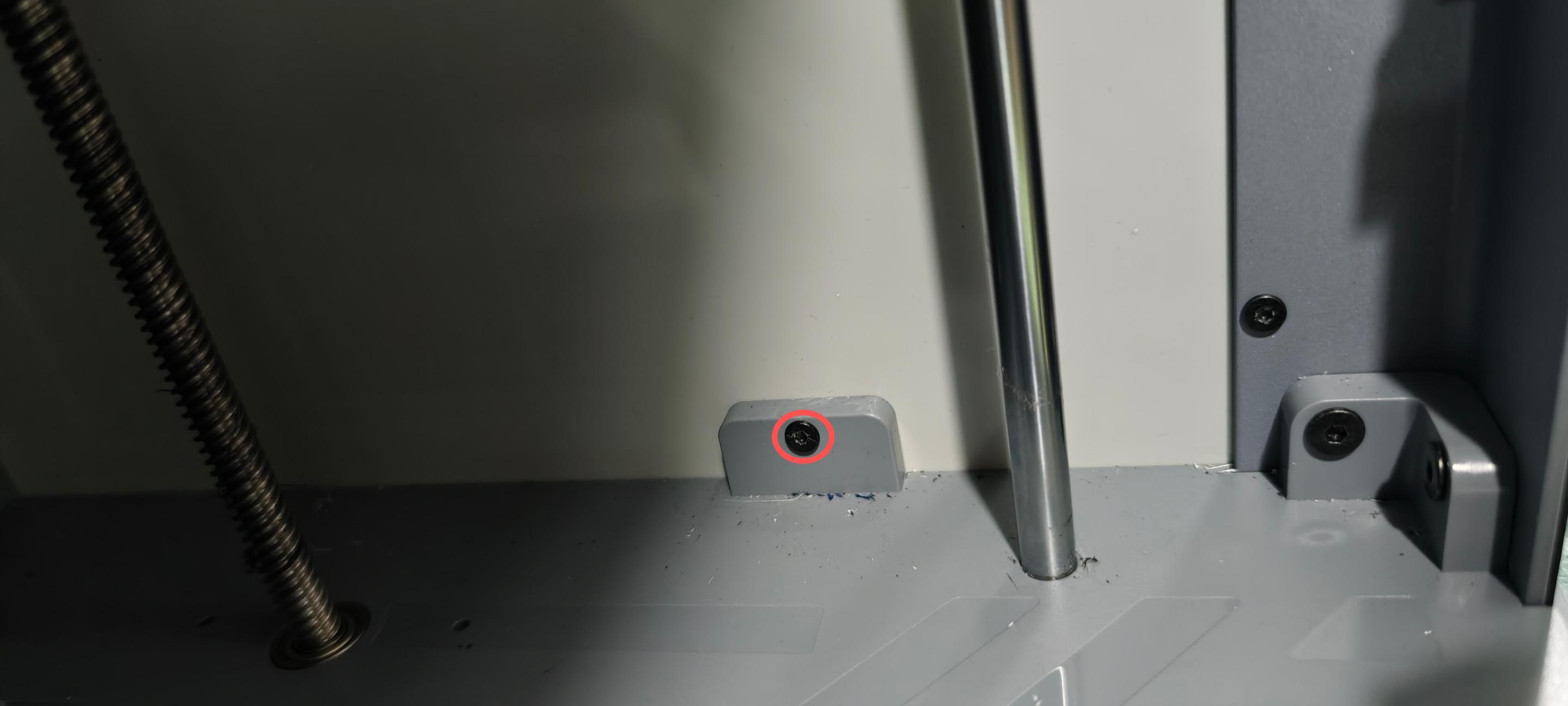
3.Remove the bottom box sealing plate screws
Use an H2.0 hex wrench to remove the M3*8 flat circular head sealing plate screws from the bottom box. As shown:
 |
¶ Remove the camera
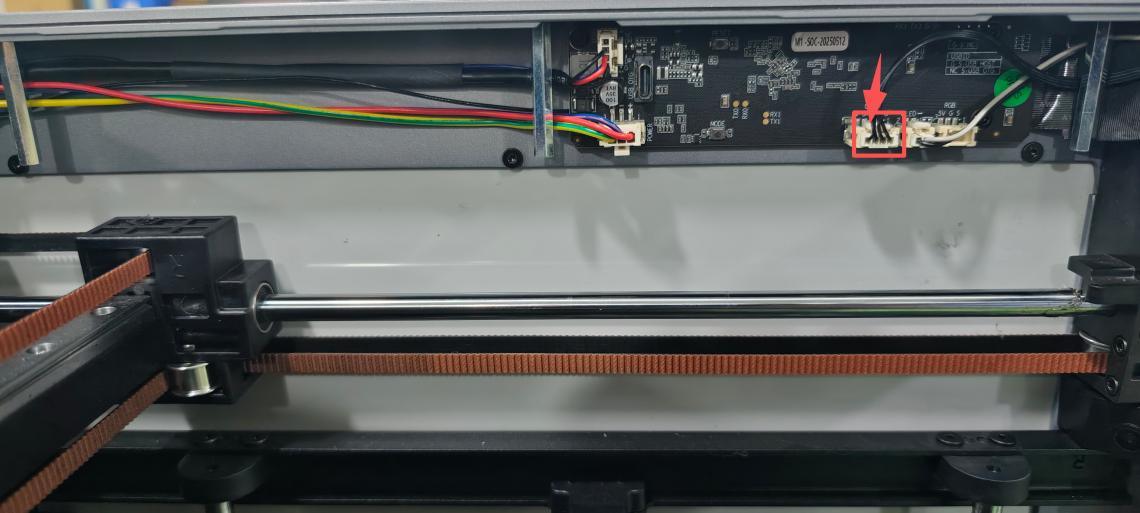
1.Remove the camera connection cable
Manually pinch the camera terminal buckle and pull the terminal outward. As shown in the figure:
 |
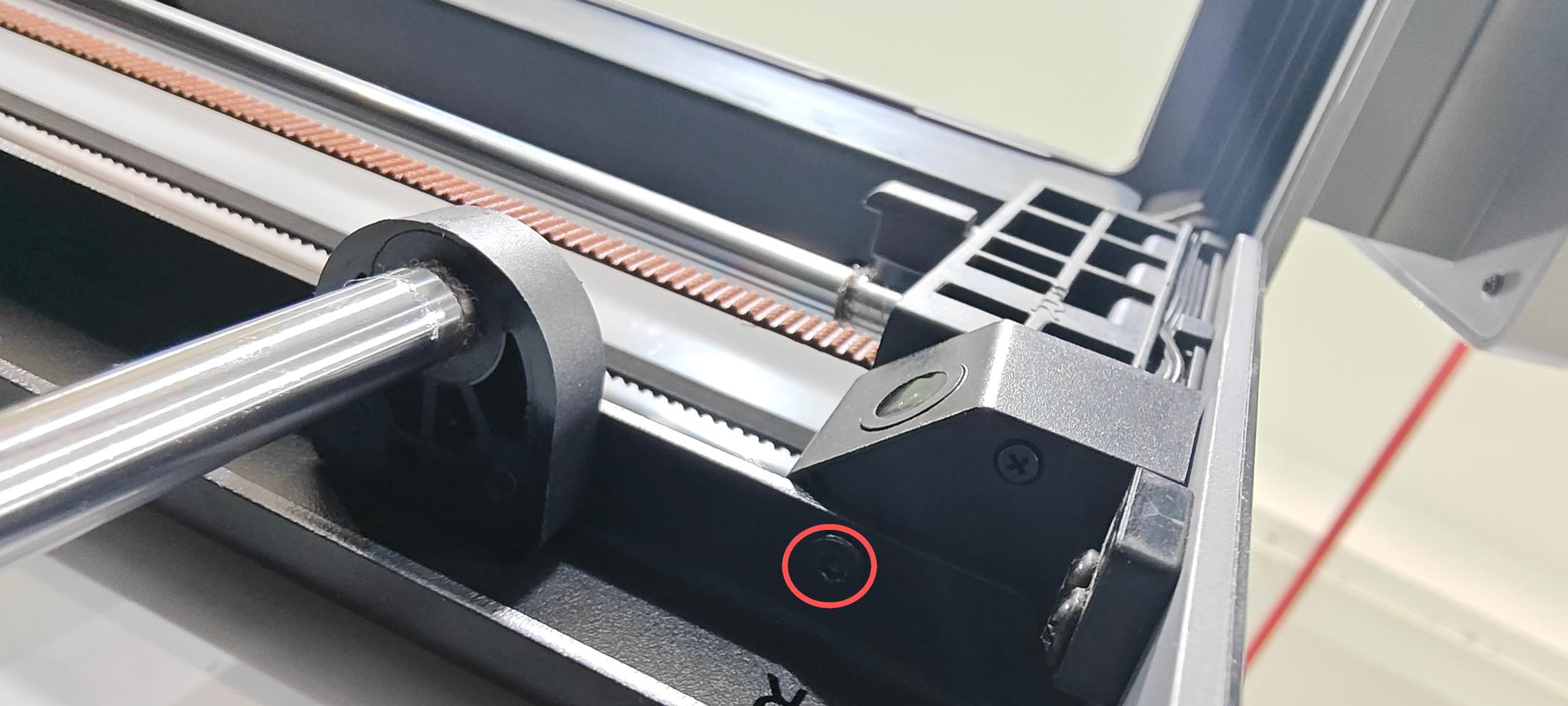
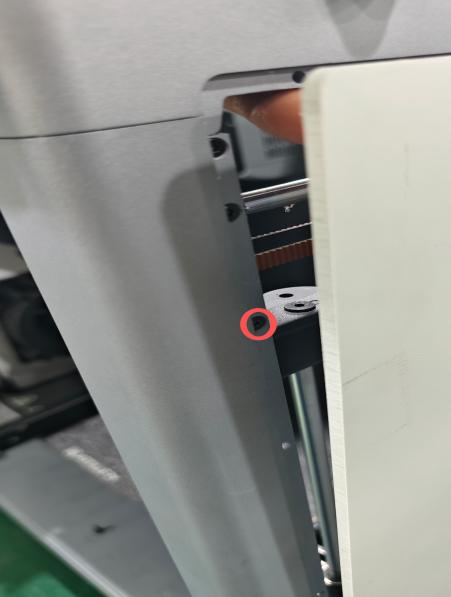
2.Remove the camera screws
- Use an H2.0 hex screwdriver to remove the camera bottom fixing screws (M3*5) flat round head screws. As shown in figure: a
- Manually push the cover plate outwards from the inside, then use an H2.0 hex screwdriver to remove the side fixing screws (M3*6 countersunk self-tapping screws). As shown in figure: b
|
|
¶ Install the camera
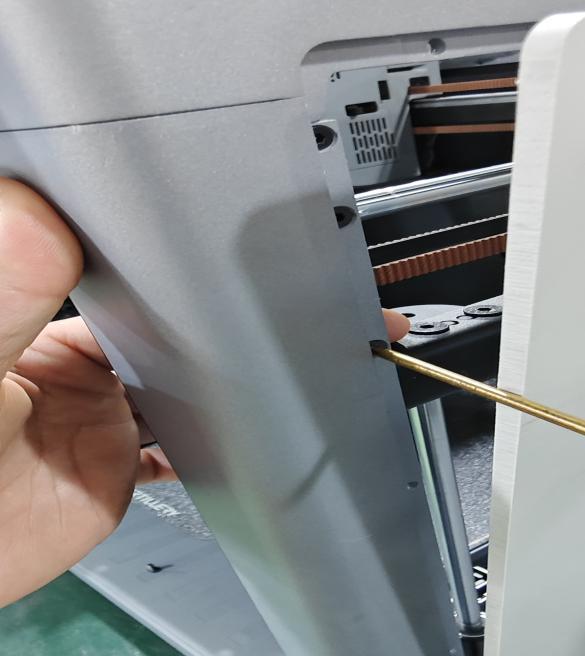
1.Install the camera screws
- Insert the camera, use an H2.0 hex screwdriver to tighten the M3*5 flat round head screws. As shown in figure: a
- Manually push the cover plate outwards from the inside, and use an H2.0 hex screwdriver to tighten the side fixing screws (M3*6 countersunk self-tapping screws). As shown in figure: b
|
|
 |
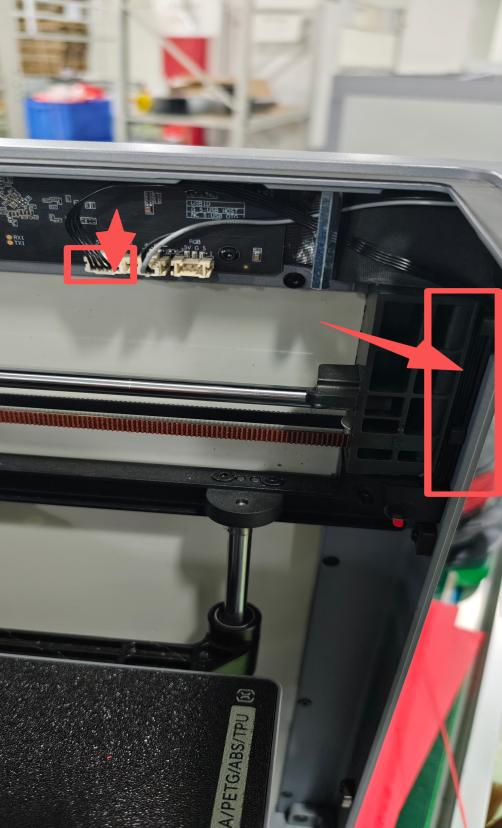
2 Install the camera connection cable
Insert the camera lead into the wire management groove along the inside of the screw column, and connect the camera terminal to the mainboard socket of the upper computer. As shown in the figure:
 |
¶ Install the cover plate screws
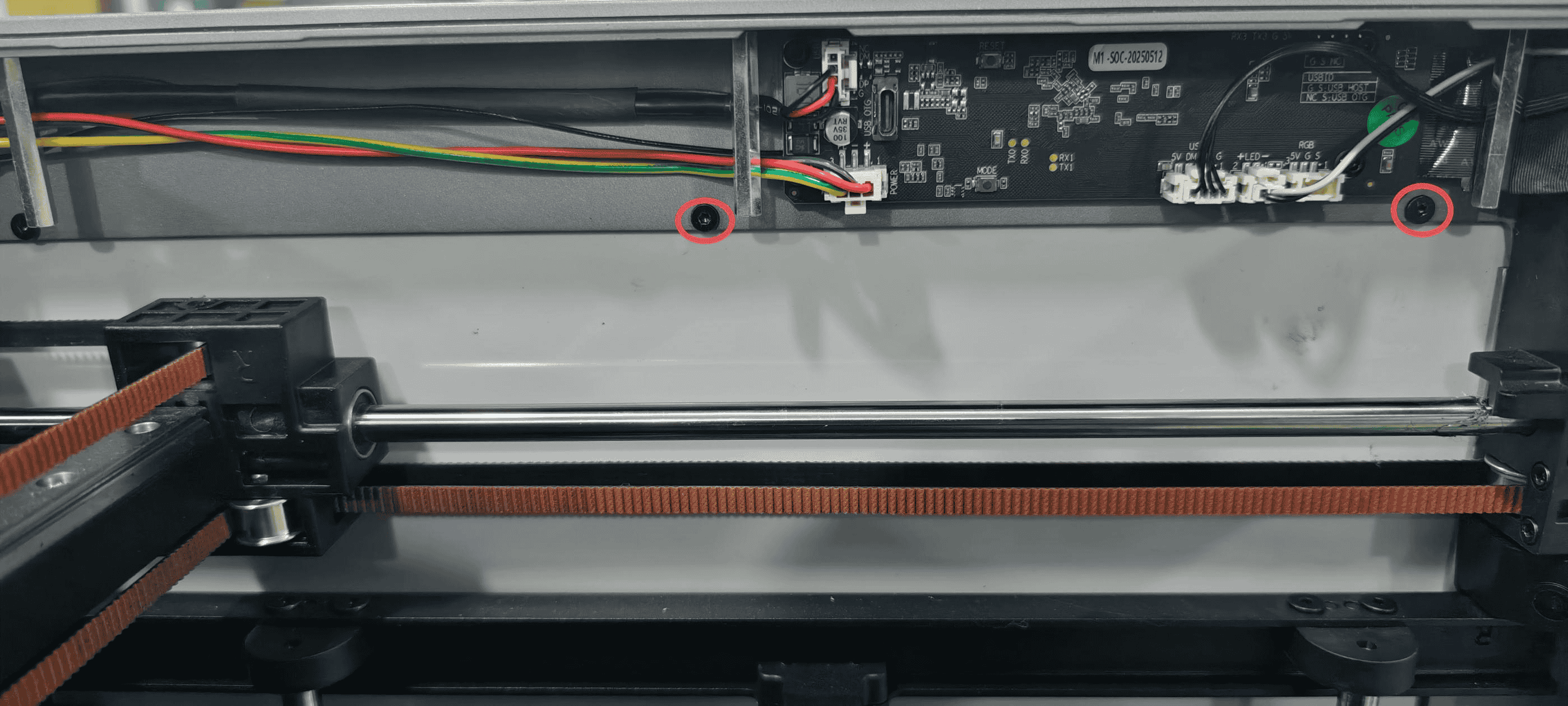
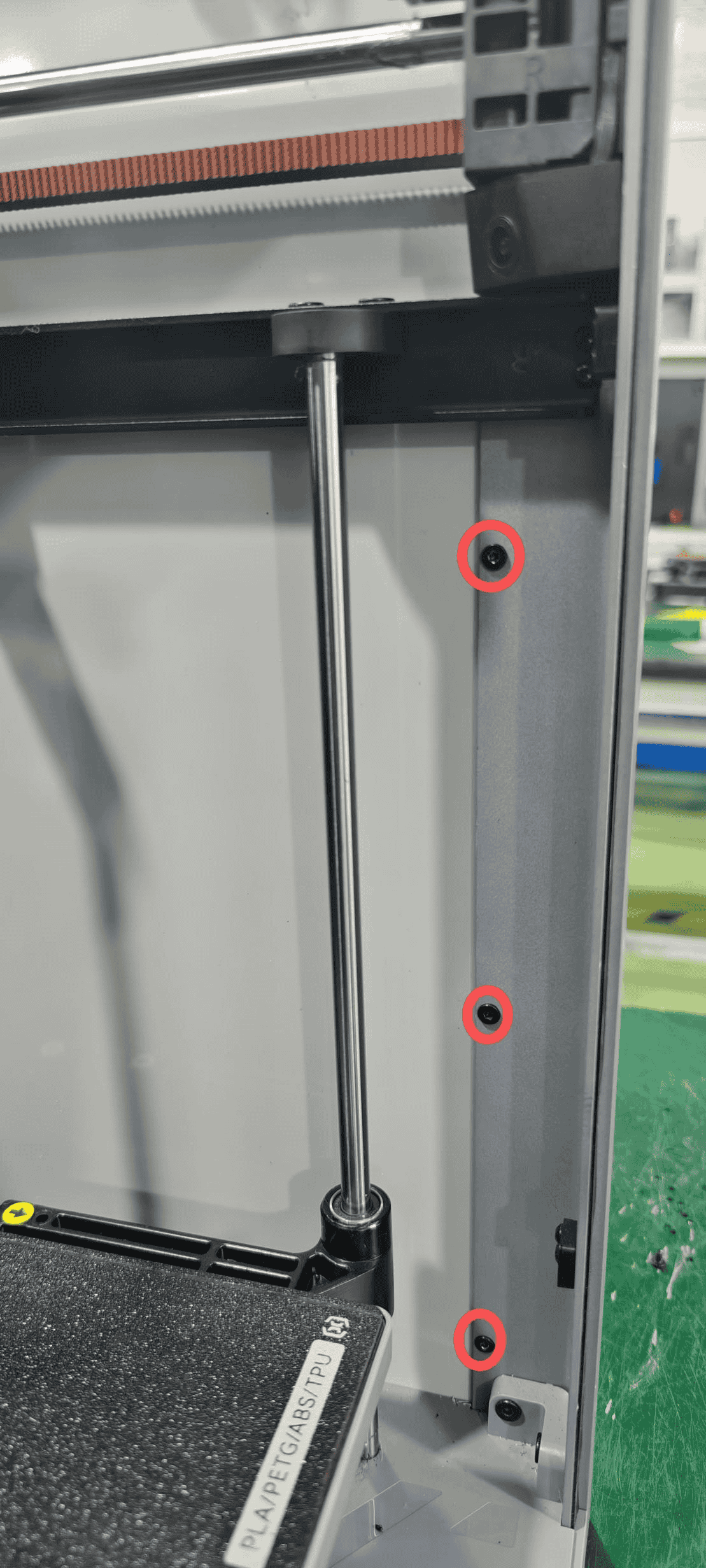
1. Use an H2.0 hex wrench to tighten a total of 5 M3*5 flat head cover plate fixing screws (top frame, right front door). As shown in the figure:
 |
 |
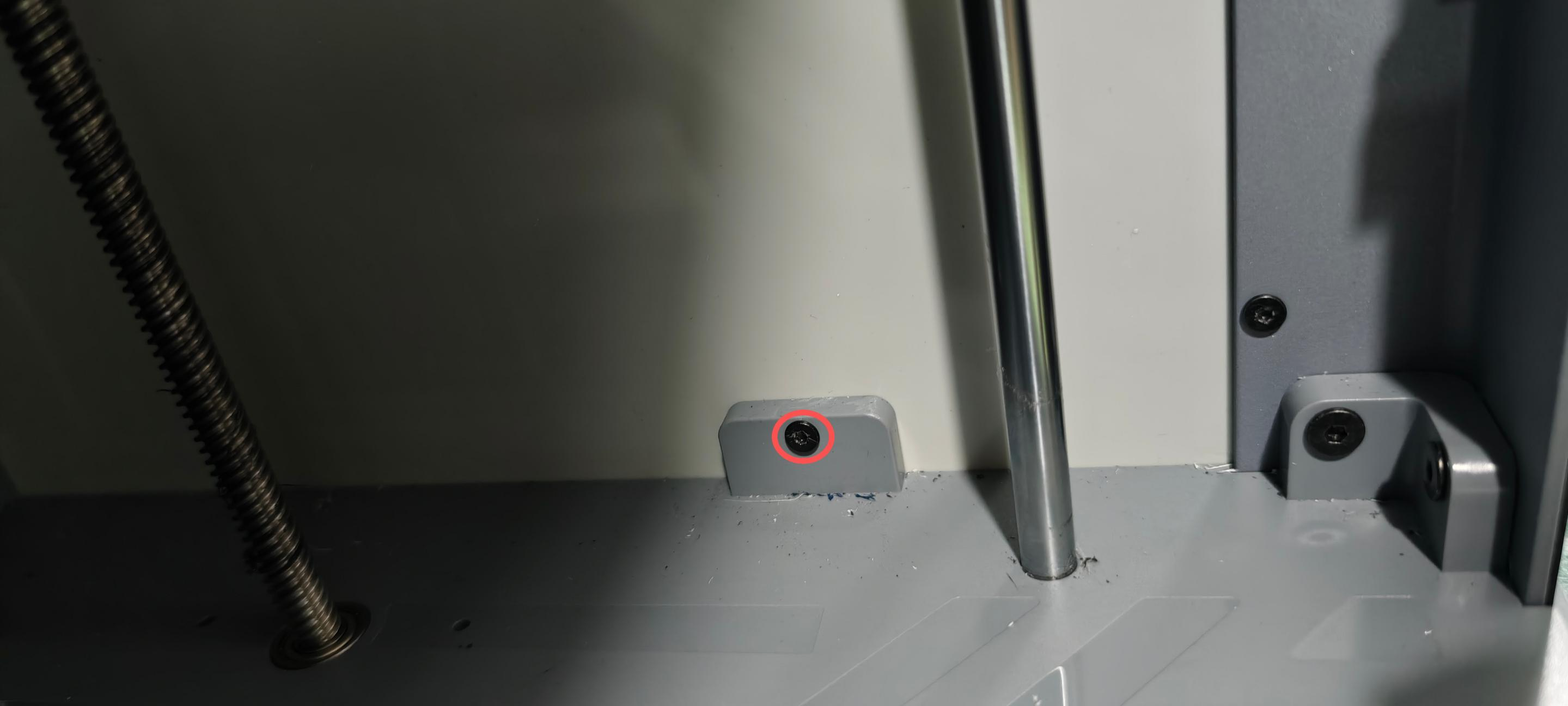
2. Use an H2.0 hex wrench to tighten the M3*8 flat head cover plate fixing screws for the bottom box.
 |
¶ Install the top frame guard plate
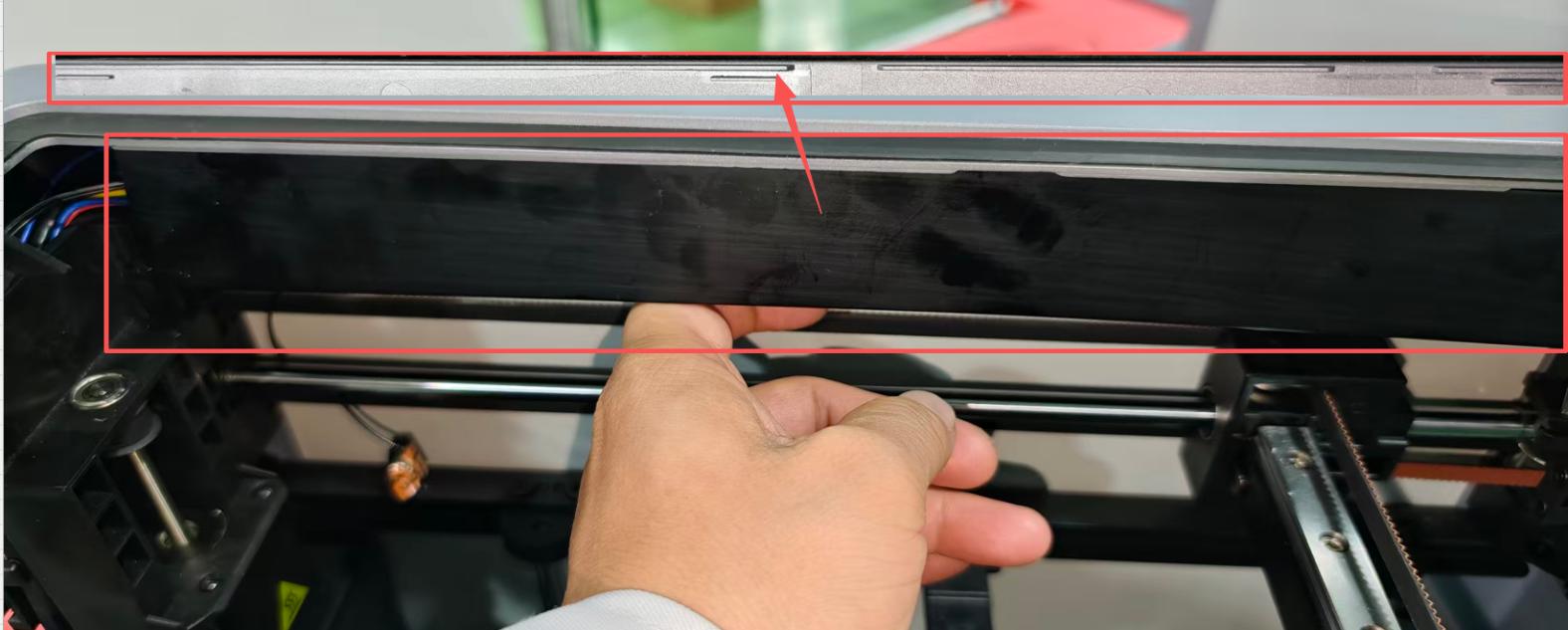
1. Install the guard plate into the slot on the right edge of the top frame. As shown in the figure:
 |
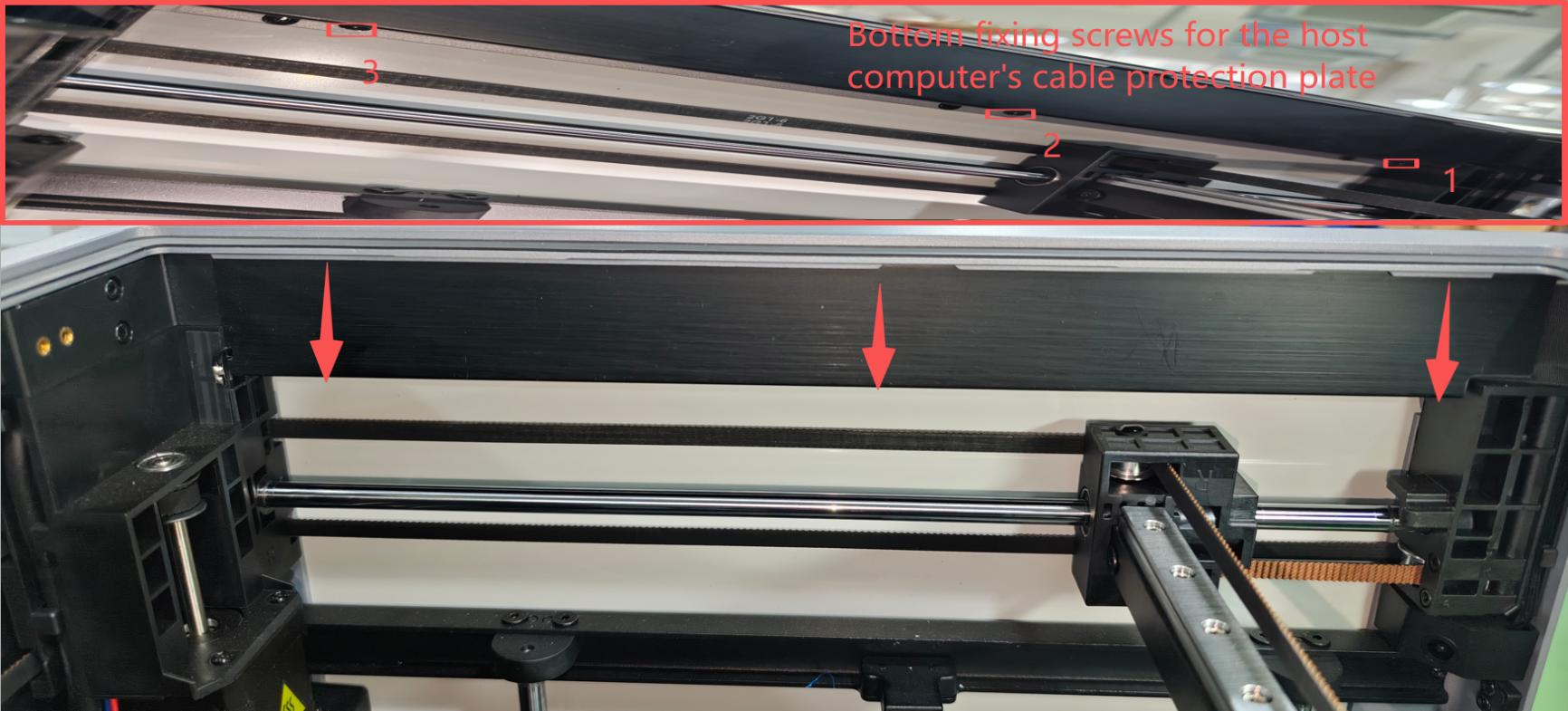
2. Use an H2.0 hex wrench to tighten 3 M3*4 screws for the guard plate. As shown in the figure:
 |
If you have any questions or need assistance with optimizing the above steps, please send an email to contact us at support@artillery3d.com for after-sales service.